Showing posts with label Acronis. Show all posts
Showing posts with label Acronis. Show all posts
Tuesday, August 4, 2015
Acronis TrueImage 2015 Crack

Update 20th March
Finally tested with build 6525, working fine! Note that pictures below are from a earlier build 5539, I am going to update as soon as possible.
I am receiving very positive feedback from people, but unfortunately some people also getting trouble. Most of the negative feedback are in situations that the user have a thirdly-part Firewall, I am working on a "universal method".
Update 06th April
As I mentioned above, this tutorial not working for some people. I am right now testing new activation proceeds and looks fine so far! Please, if this tutorial didn't worked for you, send an email to antivirusdownloadfullversion@outlook.com so that you can see my future post as soon as possible! Thanks for all of your feedback, you were amazing, very detailed and nice, and because of that I hope to get a way to get Acronis bits for free and of course, share it with you ;)

1. Download Setup here
Note: If you have any previous version installed, first make sure you uninstall it completely. See how to do it here
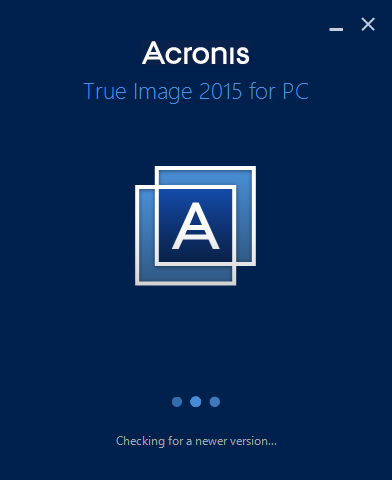 2. Once you download the package, disconnect from Internet.* Run the setup file named as "AcronisTrueImage2015_6525_en-US.exe"
*This is just to avoid that Acronis check for newer versions and download them
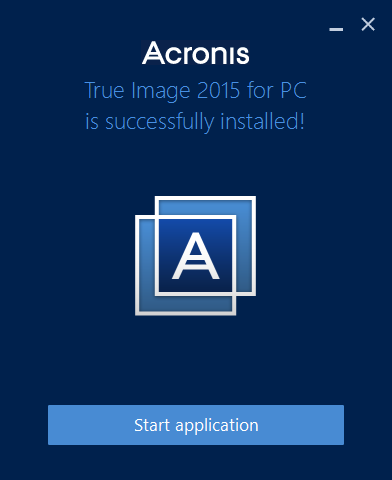 3. Proceed with installation
4. When finished, do not open the application yet
5. Now this is a bit hard to explain, but what I am going to do is to block Acronis to access Internet. This proceed only works if you are using Windows Firewall. Otherwise, you must see how to block in your current Firewall solution, all files inside a specific path. This is the only way to make sure that Acronis won't connect to their servers and attempt to validate the key we are going to make use of.
Adding rules file to file is a bit annoying. I decided to create a batch file, which you can download here, to make the job. It will list all files inside Acronis path and create rules to block access to Internet. As I already said, this is only valid if your current Firewall is Windows default.
After you download the batch file and extracted it, browse to (...)
- Windows 32-bits: C:\Program Files\Acronis\TrueImageHome
- Windows 64-bits: C:\Program Files (x86)\Acronis\TrueImageHome
(...)and place the batch there. Don't rename it, let it stay addfwrs
Sorry for this part but you will have to work on cmd (it might be a bit difficult for those who are adapted to GUI's only). I will try to explain step by step

a) Run Coomand Line as admin

b) Type:
Windows 32-bits cd C:\Program Files\Acronis\TrueImageHome
Windows 64-bits cd C:\Program Files (x86)\Acronis\TrueImageHome
You can use a trick here. Copy the "code", in cmd window, click the icon in the top. A menu will drop down. In Edit you have an option to Paste. This is easier instead of typing that long string


c) Finally, type addfwrs "Acronis" and hit Enter
d) A new message will pop-up, click Enter

e) For each rule it creates, details are shown in console, so you will a lot of string lines showing up
f) "Batch ended". If you get this message, all rules are created and you can close Cmd

6. Run Acronis for the first time. It will ask for a licence
Choose one below
- B5W63Q26-UYYMDNH4-XUSEQL5W-V2WJQBYR-48ZR2XG9-WMT58H77-VTPK86UD-FVB9LH8B
- MED3LGDZ-KWXTQ8U5-MHZC7VPR-WD7N3YAL-LDPQTAFL-8JLF5AX7-STL8Z7WY-TK6WYLKF
- A58SRG4U-R8YL27T9-JF48AQB4-DUPYYCXD-VXZD5243-DJLTMLTR-XBNGNJZM-YSXLXQ9F


7. Done, you can now connect to Internet. You won't be able to use online features


Acronis True Image 2015 Crack

Introduction
Acronis True Image is very popular software of backup and disk imaging. As a disk imaging software, True Image can restore previously captured image to another disk, replicating the structure and contents to the new disk, also allowing disk cloning and partition re-sizing, even if the new disk is of different capacity.
In this tutorial I will explain how to get this software for free. This tutorial was updated last time on 17th May and tested with latest True Image version, 18.0 Build 6525. Please, to make sure this tutorial works, follow carefully all steps. I will try to do it more detailed as possible. Let's do it :)
Previous installed versions
If you have any previous version installed on your PC, I would recommend you to remove it first. Acronis has a very detailed post on how to do it. To save my own time I won't explain it by myself. You can access that instructions here. This is for completely uninstall True Image
Where to download?
You can download True Image from the official website, however you won't go in there. The setup you will download there, is a web installer, which means it's a small executable file and posteriorly will download the package to begin installation. We don't want that as the main goal is to avoid True Image of accessing Acronis servers. To workaround this, I have access to the offline setup. You may wonder it origin and if it has virus or whatever, but don't worry because it's the official setup and the download came directly from Acronis database. Click here to download the offline setup. Below it's the link so you can see I am not lying :)
Because we will disconnect from Internet, also download the crack here
http://dl2.acronis.com/s/AcronisTrueImage2015_6525_en-US.exe
How to install?
I don't want to explain step by step how to install it because it's very simple, just a couple of clicks and it's done. However, I am not introducing this section just because... yeah, whatever, nothing to do here. I want you to be successful with the activation process which came next, and for that, once your download is completed, disconnect from Internet. THIS IS MANDATORY!
After this, you can run the setup and install True Image.
As I mentioned above, this is very simple. On load, it will try to look for updates.. but Internet is off.. so try again next time True Image :)


After it's attempt to check for newer versions, click Install
It will take a few minutes. When done, click Start Application

Activation process
On first load, True Image will ask you for a licence number.
Use one of the following keys
- B5W63Q26-UYYMDNH4-XUSEQL5W-V2WJQBYR-48ZR2XG9-WMT58H77-VTPK86UD-FVB9LH8B
- S3T98PNE-7A6QX6R5-A7EADMWT-HDYVYE2G-EKSFH55F-QUJAUZQ4-DR29YDJZ-H76NXP6Q


Now, exit from True Image and go to crack folder you have downloaded on the beginning.
Run TrueImage activation crack.exe


Let the tool works, when done hit Enter
You are done :)
You can run True Image and check licence status, plus you can connect to internet again :)
If this tutorial didn't worked for you, don't forget to leave a comment or send e-mail to antivirusdownloadfullversion@outlook.com
Subscribe to:
Posts (Atom)